
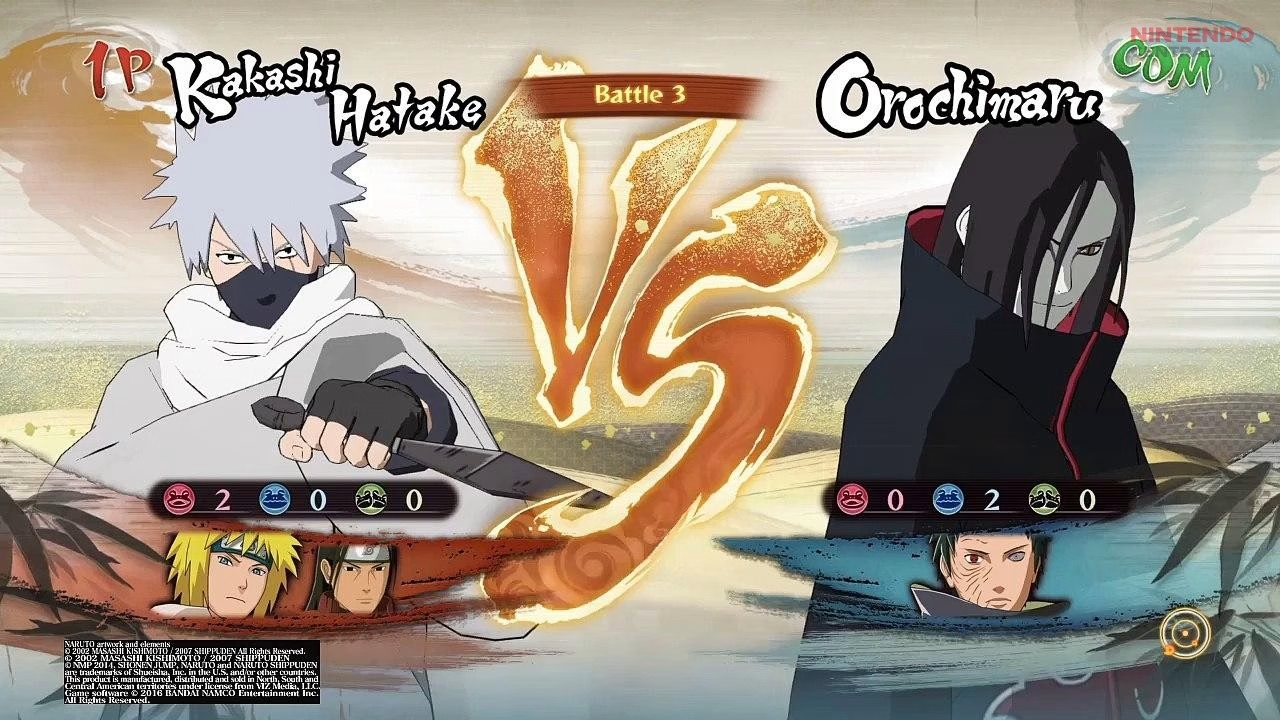
Naruto Shippuden: Ultimate Ninja Storm 4 remains one of the most popular anime fighting games on PC even years after its original release. Developed by CyberConnect2 and published by Bandai Namco Entertainment, the game delivers cinematic battles, large-scale boss fights, and one of the most visually impressive anime art styles in gaming. Despite releasing in 2016, many players still search for Naruto Storm 4 PC requirements because the game continues attracting new players through Steam sales and anime gaming communities.
One reason the game remains popular is its relatively accessible hardware requirements compared to newer AAA titles. Naruto Storm 4 can run on older PCs, laptops, and even some integrated graphics systems with proper optimization. However, performance can vary significantly depending on settings, driver configuration, and resolution choices.
Official Steam listings confirm that the game requires only modest hardware by modern standards, but players using low-end laptops or older GPUs may still experience FPS drops, stuttering, or crashes without adjustments.
Let’s break down Naruto Shippuden: Ultimate Ninja Storm 4 PC requirements, expected performance across different systems, and the best settings to improve FPS and stability.
Official Naruto Storm 4 Minimum PC Requirements
According to the official Steam page and Bandai Namco Entertainment, Naruto Storm 4 has surprisingly low minimum requirements compared to modern fighting games.
The official minimum requirements are:
- Operating System: Windows 7 64-bit or newer
- Processor: Intel Core2 Duo 3.0GHz or AMD Athlon 64 X2 Dual Core 6400+
- Memory: 2GB RAM
- Graphics Card: 1GB VRAM graphics card
- DirectX: Version 11
- Storage: 40GB available space
These requirements are extremely modest by 2026 standards. Most modern PCs can technically launch the game without major issues. Even older office PCs with entry-level GPUs may handle the game at lower settings.
However, there is an important difference between “running the game” and achieving stable performance. While the game can launch on low-end hardware, consistent FPS during large battles or cinematic effects may require stronger components.
Recommended PC Specs for Smooth Performance
Interestingly, Naruto Storm 4’s official recommended requirements were never dramatically higher than the minimum specs on several storefront listings. This caused confusion among PC players during launch.
For modern gameplay standards, a far more realistic setup for stable 1080p performance would include:
- Processor: Intel Core i5 4th Gen or Ryzen 3 equivalent
- Graphics Card: GTX 1050 Ti, GTX 1650, RX 570, or newer
- RAM: 8GB minimum
- Storage: SSD recommended
- DirectX: 11 compatible GPU
Systems in this range can usually run Naruto Storm 4 smoothly at 1080p with high settings and stable frame rates.
Higher-end GPUs like RTX 3060 or RX 6700 XT can easily push the game at 1440p or 4K resolution because Naruto Storm 4 is not particularly demanding compared to newer anime titles. Steam community discussions show that modern GPUs such as the RTX 4070 Super can comfortably run the game at 4K max settings.
Can Naruto Storm 4 Run on Low-End PCs?
Naruto Storm 4 is relatively friendly toward low-end PCs compared to many anime games released after 2020.
Community tests and YouTube benchmarks show that integrated graphics systems like Intel HD 520 or older laptops can run the game at reduced settings and lower resolutions.
Players using:
- Intel HD Graphics
- Older i3 CPUs
- 4GB RAM systems
- Entry-level Nvidia MX series GPUs
can often achieve playable performance by lowering settings to 720p and disabling demanding graphical effects.
However, there are limitations. The game’s optimization at launch was heavily criticized because of restricted graphics settings and FPS caps. Early PC users complained about missing options like advanced resolution scaling and VSync controls.
Low-end systems may still experience:
- stuttering during ultimate jutsu animations
- frame drops in story mode battles
- slowdowns during particle-heavy fights
- occasional crashes or loading delays
SSD installation and updated graphics drivers help significantly on weaker hardware.
Expected FPS Performance Across Different Hardware
Performance in Naruto Storm 4 depends mostly on GPU power and resolution rather than CPU strength.
For very low-end systems using integrated graphics, players can expect:
- 720p low settings
- 30 to 45 FPS average
- occasional drops during effects-heavy scenes
Budget gaming systems with GTX 1050 Ti or RX 570 level hardware usually achieve:
1080p medium to high settings
stable 60 FPS gameplay
Mid-range modern systems with RTX 2060, RTX 3060, or RX 6600 GPUs can comfortably run:
- 1080p ultra settings
- 1440p high settings
- stable 60 FPS or higher
High-end systems can run the game at:
- 4K resolution
- maximum settings
- very stable frame rates
Steam users report that anti-aliasing can significantly affect performance at higher resolutions. Some players recommend using Nvidia DSR or resolution scaling instead of aggressive MSAA settings because Storm 4’s anti-aliasing implementation is inefficient on some GPUs.
Best Graphics Settings for Naruto Storm 4 on PC
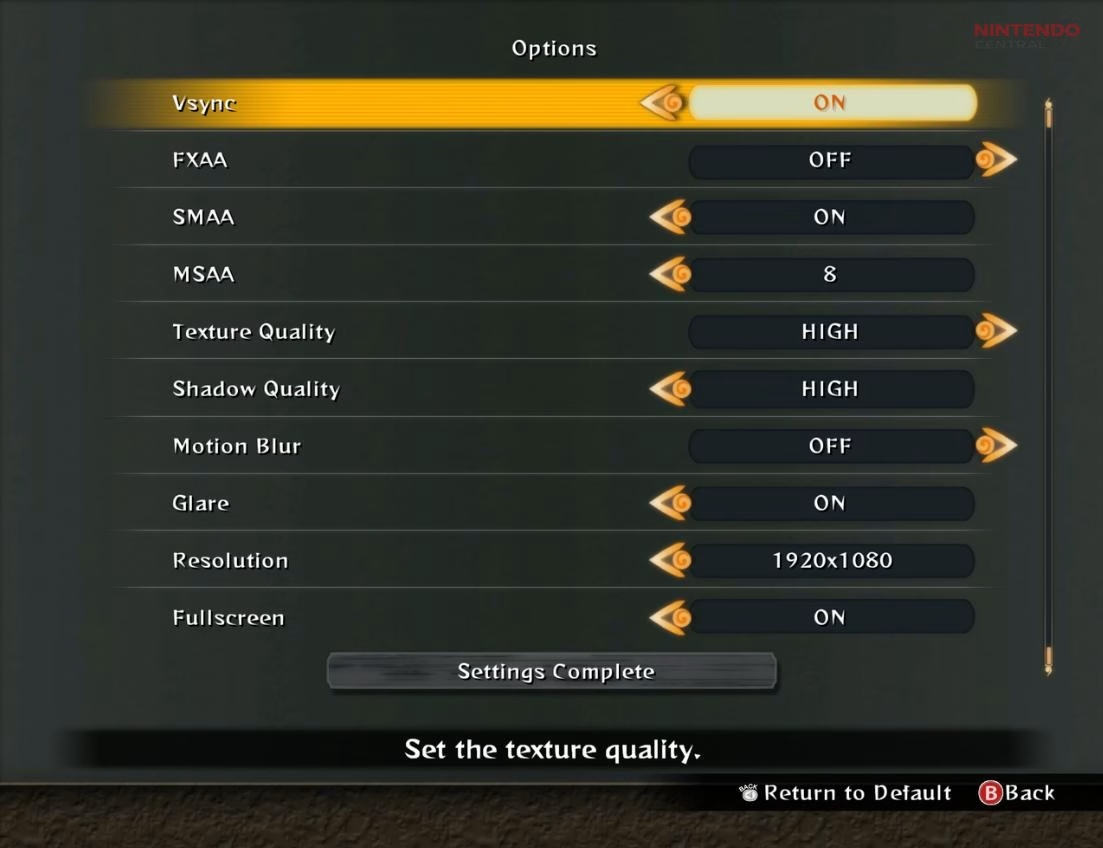
Naruto Storm 4 does not offer an extremely advanced graphics menu compared to modern PC games. Most settings focus on basic visual quality adjustments.
For low-end PCs, the best settings are:
- 720p resolution
- FXAA enabled
- low shadows
- motion blur disabled
- reduced particle effects
- fullscreen enabled
Players using integrated graphics should prioritize lowering resolution first because resolution has the largest performance impact.
Mid-range PCs can usually handle:
- 1080p resolution
- high shadows
- FXAA or low MSAA
- motion blur enabled
- high effects
High-end systems can max out almost every setting without issues.
Several community optimization guides recommend editing configuration files manually for better control over FPS and display behavior. Steam guides and Reddit discussions mention modifying config.ini files to improve performance or unlock additional options unavailable in the default menu.
Common Naruto Storm 4 PC Performance Problems
Although Naruto Storm 4 is easier to run than many newer games, players still encounter several common technical problems.
One of the biggest complaints historically involved FPS instability. Some users experienced inconsistent frame pacing even on powerful systems. Community fixes often involved driver updates, fullscreen mode adjustments, or disabling certain graphical effects.
White screen bugs were another frequent issue on older systems. Steam community troubleshooting guides suggested modifying windowed mode settings or reinstalling Visual C++ redistributables to fix startup problems.
Laptop users sometimes faced GPU detection issues where the game incorrectly used integrated graphics instead of dedicated GPUs. AMD and Nvidia control panel adjustments often resolved this problem.
Stuttering can also occur because of shader compilation or HDD loading limitations. Installing the game on an SSD noticeably improves loading times and general smoothness.
Does Naruto Storm 4 Support More Than 60 FPS?
Officially, Naruto Storm 4 was originally designed around a 60 FPS cap on PC. However, community modifications and configuration tweaks later enabled higher frame rate gameplay.
Steam guides discuss methods for running the game above 60 FPS, although results vary depending on system configuration.
Some players report smoother gameplay at unlocked frame rates, while others experience animation timing issues, cutscene desync, and physics inconsistencies.
Because the game was heavily optimized around fixed frame pacing, uncapped FPS modifications may introduce instability. For most users, stable locked 60 FPS remains the best experience.
How the Road to Boruto Expansion Affects Performance
The Naruto Shippuden: Ultimate Ninja Storm 4 – Road to Boruto expansion added additional story content, characters, and effects but did not dramatically increase hardware requirements.
Official Steam listings show nearly identical PC requirements for the expansion compared to the base game.
However, some larger battle sequences and updated environments in Road to Boruto may slightly increase GPU load on weaker systems.
Players running older hardware may need to reduce: shadow quality, anti-aliasing, resolution scale, and during expansion content for smoother performance.
Is Naruto Storm 4 Well Optimized on PC in 2026?
Compared to many modern anime arena fighters, Naruto Storm 4 remains reasonably optimized.
The game benefits from:
- lightweight stylized graphics
- modest CPU requirements
- fast load times on SSDs
- low VRAM usage
Even many budget gaming laptops can run the game comfortably in 2026.
However, some older technical limitations still exist. The PC version lacks several advanced graphics options expected in newer titles, and some launch-era optimization issues were never fully resolved.
Community fixes, mods, and config tweaks help address many of these shortcomings.
Despite these issues, Naruto Storm 4 remains one of the most accessible anime fighting games for PC players because it scales well across a wide range of hardware.
Can Your PC Run Naruto Storm 4?
For most modern PCs, the answer is yes.
If your system includes:
- 8GB RAM
- a DirectX 11 compatible GPU
- a mid-range CPU from the last decade
You should comfortably run Naruto Storm 4 at 1080p with smooth performance.
Even low-end laptops can often achieve playable frame rates with reduced settings and optimized configurations.
Players with modern gaming hardware can easily enjoy:
- high refresh rate gameplay
- 4K visuals
- maximum graphical settings
- stable 60 FPS combat
Naruto Storm 4’s anime art style also helps the game age well visually. Unlike realistic games from the same era, its cel-shaded presentation still looks impressive years later.
For anime fans and Naruto players looking for a PC fighting game that balances accessibility with strong visuals, Naruto Storm 4 remains one of the best-performing arena fighters available on PC today.
Even in 2026, Naruto Shippuden: Ultimate Ninja Storm 4 continues to benefit from strong driver support and compatibility updates across modern GPUs. NVIDIA and AMD regularly optimize older titles through driver updates, which can improve stability and eliminate minor stuttering issues on newer hardware.
Players on Windows 10 or Windows 11 typically experience fewer crashes than on earlier PC versions of the game. Additionally, running the game in borderless full-screen mode can reduce input lag and improve multitasking performance. For the best experience, keeping GPU drivers up to date and closing background applications can noticeably improve frame stability.